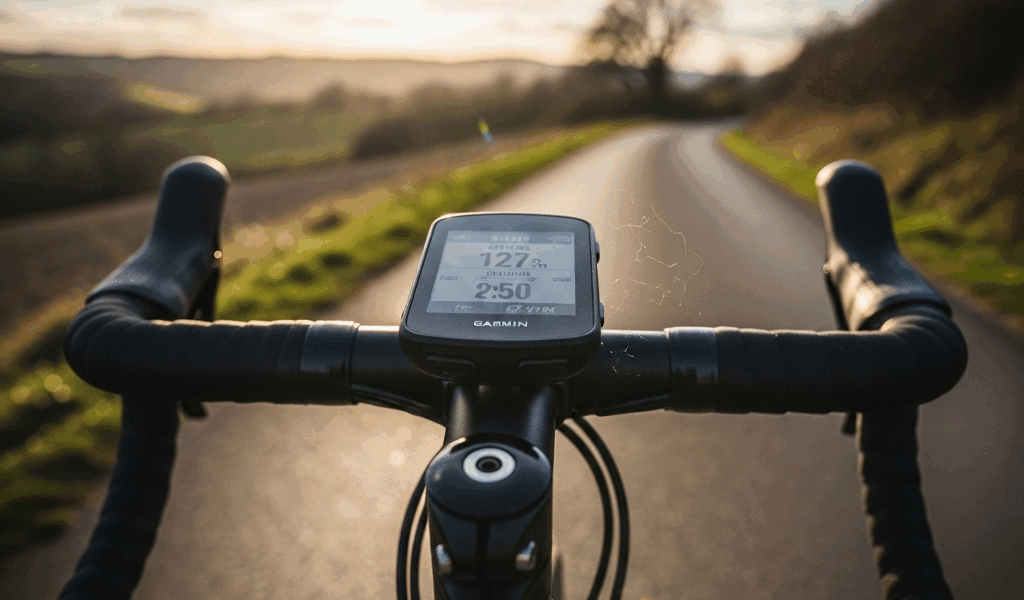
Garmin released the Edge 540 and 840 close enough in price that picking between them feels like a trick question. The 540 runs about $350. The 840 runs about $450. Both have the same GPS chipset, same battery life, same sensor compatibility. For a hundred-dollar difference, you’d expect a clear reason to pick one — but Garmin doesn’t make it obvious.
Here’s what that $100 actually buys, and whether it matters for road cycling.
The Core Difference: Buttons vs Touchscreen
The Edge 540 has buttons only. Five physical buttons — three on the left side, two below the screen. All navigation, data scrolling, and menu access happens through button presses.
The Edge 840 has both buttons and a touchscreen. Same five physical buttons plus the ability to tap, swipe, and pinch on the screen. You can use either input method at any time.
Everything else is nearly identical. Same processor, same screen size and resolution, same GPS accuracy, same ClimbPro, same training features, same battery life (up to 26 hours in standard mode). The $100 buys you a touchscreen. That’s it.
Whether that’s worth $100 depends entirely on how you interact with your computer mid-ride.
When the Touchscreen Matters
Map navigation: Scrolling around a map with buttons is painful — you’re pressing directional arrows to pan across the screen one step at a time. With a touchscreen, you drag and pinch like a phone. If you use navigation regularly and want to preview upcoming turns or check your position on a route, the touchscreen saves real frustration.
Browsing routes and workouts: Selecting a workout from a list or choosing a saved route is noticeably faster with tap-to-select than button-scrolling through a menu. If you load different routes or workouts frequently, the touchscreen streamlines the pre-ride setup.
Text input: Naming waypoints, searching for locations, or entering course names involves an on-screen keyboard. With buttons, you’re scrolling letter by letter. With touch, you tap the letters directly. This is a minor use case — most riders rarely type on their bike computer — but when you need it, the difference is significant.
When Buttons Are Better
Cold weather with thick gloves: Touchscreens and winter gloves are a bad combination. Garmin’s screen works with some touchscreen-compatible gloves, but thick winter cycling gloves often don’t register. The 540’s buttons work regardless of what’s on your hands.
Rain: Water droplets on a touchscreen create phantom inputs. You’ll be riding in the rain and suddenly the screen scrolls to a different page because a raindrop registered as a swipe. The 840 lets you lock the touchscreen and use buttons only in wet conditions — it handles this well, but the 540 never has the problem in the first place.
Mid-ride simplicity: During a workout or a race, you’re scrolling data screens — not navigating menus. Pressing a physical button without looking down is faster and more reliable than finding a touch target on a small screen while bouncing over rough roads. For the core ride-time activity of flipping between data pages, buttons are arguably better.
Training Features: Identical
Both units include ClimbPro (upcoming climb profiles), Training Status, Training Load, stamina tracking, power-based metrics, and full Strava/TrainingPeaks sync. The 840 doesn’t unlock any additional training analytics that the 540 lacks.
Both connect to power meters, heart rate straps, and speed/cadence sensors over ANT+ and Bluetooth. Both support Varia radar and lights. Both run Connect IQ apps for third-party data fields.
If your decision is based on training capability, save the $100. The 540 has every feature the 840 has.
The Verdict
Buy the Edge 540 ($350) if: You ride mostly in the same area and don’t use navigation heavily. You ride in cold or wet conditions regularly. You prefer physical controls and don’t want to deal with touchscreen quirks. You want the best value for the same feature set.
Buy the Edge 840 ($450) if: You use map navigation frequently — exploring new routes, riding in unfamiliar areas, following multi-day routes. You like the feel of a touchscreen interface. You don’t ride in extreme cold regularly.
For most road cyclists who ride familiar routes and use their bike computer primarily as a data display during rides, the 540 is the right choice. The touchscreen on the 840 is a convenience for navigation-heavy use — not a core feature for training. Save the $100, put it toward a power meter or a bike fit, and get better actual performance improvement than a touchscreen could ever deliver.

Leave a Reply